Yesterday Pling was a meeting app. Today it is a recording studio.

👉 Open the new Pling recording space: Record yourself, share your screen, or invite guests without an account, installation, or cloud upload.
Yesterday I published a post about what I was learning while building Pling. I ended it by saying that I was not building a pocket-sized Zoom.
One day later, that sentence is even more true, but for a reason I did not expect.
Pling has taken a different direction. Not because I threw away the product or rebuilt it from scratch. The product is almost exactly the same. What changed was my understanding of the moment it should serve.
That change started with Laura, my partner in life, needing to record a video.
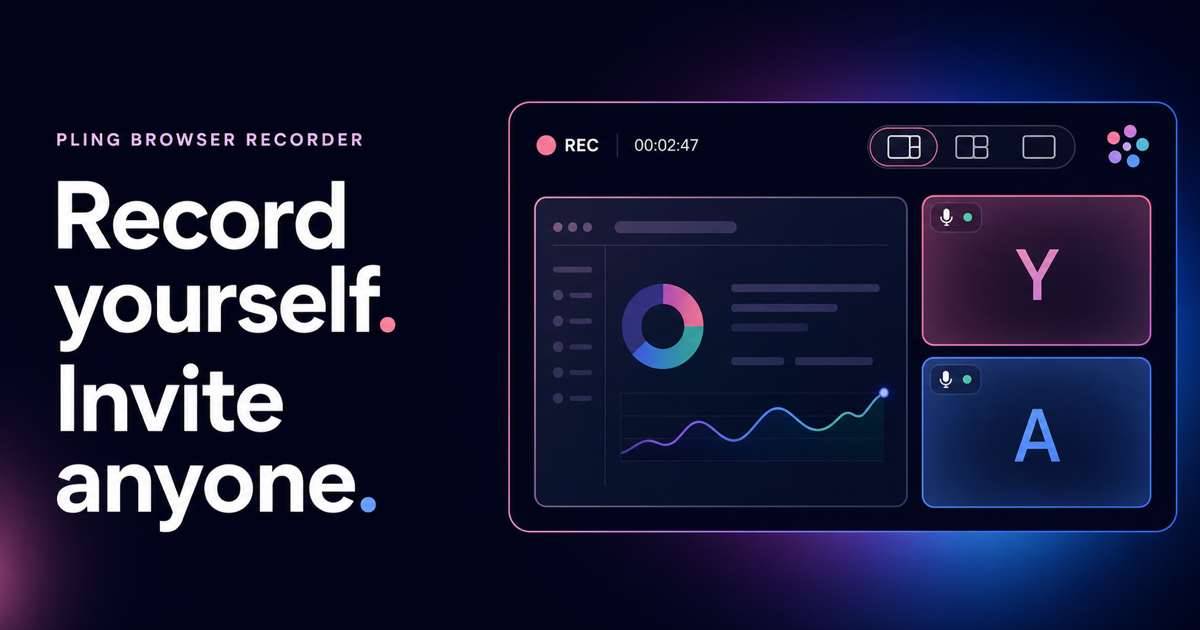
Pling starts as a private recording room and can add guests when the video needs them.
The feature that disqualified Pling immediately
Laura had to prepare a video for a product or business presentation. She was wondering how to record it, and the obvious option was Zoom. She already pays for Zoom because she needs to record meetings, so why not open a meeting with herself and use that?
Then I asked the dangerous product-builder question:
What about using Pling?
The answer arrived before she even tried it. She needed to blur her background or replace it with an image.
Pling could not do that.
That single requirement disqualified my product immediately. It did not matter that Pling could create a room in one click, record locally, keep the camera visible while sharing a screen, or invite other people without an account. If the place behind her was distracting, the tool was not useful for the video she needed to make.
This is the kind of feedback that is impossible to negotiate with. “The architecture is interesting” is not an answer to “I cannot use this.”
So I took it seriously.
I added on-device background blur and custom background images. Then came the tools that make the camera useful for more than a call: adjustable blur strength, built-in scenes, your own image, video looks, and direct control over brightness, contrast, sharpness, and saturation.
Behind those controls, the less visible work mattered just as much. I refined the person mask, softened difficult edges, added light wrapping so the subject sits more naturally against a replacement image, and moved the rendering through WebGL where the browser supports it. The goal was not to add a novelty filter. It was to produce the cleanest, most natural video Pling could offer before that frame was sent or recorded.
The first missing feature opened the door. What happened next changed the product.
Zoom was available, but it was solving a different problem
Once Laura could use a blurred or replaced background, we looked more closely at the rest of the recording experience.
Zoom can record a meeting. That does not mean its meeting interface is the best studio for recording yourself. In Laura's case, the tool was organized around a call even though the result she cared about was a video. She did not need meeting administration. She needed to see what the final composition looked like, present her material, record a clean take, and keep the file.
That is when the niche became visible to me.
A meeting product is designed primarily around the live moment. Who is in the room? Who is muted? Who is speaking? How do people join and leave?
A recording studio must care about all of that and about the artifact that remains afterward. What exactly is inside the frame? Is the shared screen readable? Where does the camera appear? Are the voices mixed correctly? Does the recording continue reliably if the browser changes how it schedules a hidden tab? Can I see the real output while it is being encoded?
Those questions sound close to a meeting product, but they pull the design in a different direction.
A recording makes video quality permanent
In a meeting, a mediocre camera image can be temporary. The light is not perfect, the room behind somebody is busy, or the webcam looks a little flat, but the conversation continues and the moment passes.
A recording is different. It may become a product presentation, a lesson, a demo, a company update, or a video shared many times. Every distraction remains in the file. If Pling asks somebody to press record, it also takes on a responsibility to help them create the best video their camera and browser can reasonably produce.
That is why the video enhancements are not separate from the recording direction. They are part of it.
Pling now has a dedicated camera preview and a set of looks for common situations: Studio balances light, contrast, and color; Warm adds richer color; Soft light reduces harsh contrast; and Mono offers a deliberate black-and-white image. Each look is only a starting point. Brightness, contrast, sharpness, and saturation can be adjusted independently and combined with a natural background, adjustable blur, one of the included scenes, or a personal background image.
The important part is that this is not decoration added after the recording. The enhanced camera becomes the camera source. The same prepared image can appear in the live room, beside a shared screen, and inside the final local recording. What the presenter prepares is what the guest sees and what the file keeps.
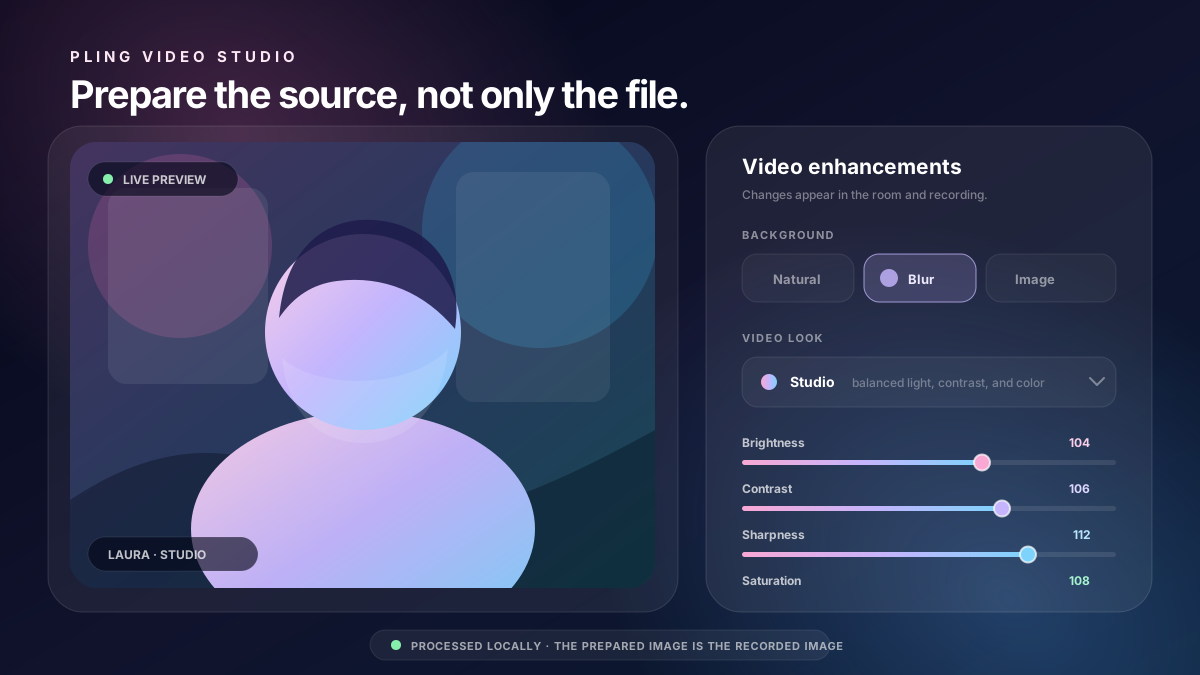
The enhancement tools prepare the camera source before it enters the room or the recording.
There is still a line I do not want to cross. Pling should help a person look clear and intentional, not turn recording into an obstacle course of professional color controls. The tooling has to offer a better picture while remaining understandable to somebody who simply needs to record a good video today.
The difference was hidden in the small corrections
Pling already had local recording. The recording browser composes the room into a 1280×720 canvas, mixes the audio, and creates a WebM file on the device. Pling does not upload or store that recording.
Technically, the big feature already existed. Product-wise, it was not yet a studio.
The difference appeared through a series of less glamorous corrections:
- A live preview now shows the actual canvas being saved, not merely the meeting interface.
- The recording layout can change while the recording runs: focus the shared screen, use a split view, or focus the cameras without creating a new file.
- A dedicated frame clock and audio-driven timing help the recording continue steadily when ordinary browser rendering would be throttled.
- Audio from the room is mixed in stereo and remains live throughout the recording.
- Studio, Warm, Soft light, and Mono looks can be combined with manual brightness, contrast, sharpness, and saturation controls.
- Adjustable background blur, built-in scenes, and personal background images are processed on the device before the camera video is sent.
- Refined mask edges and light wrapping help the person look like part of the chosen background instead of a cutout pasted over it.
- Screen sharing remains a separate source, so a presentation does not have to make the presenter disappear.
- Name labels, guest video, shared screens, and mixed call audio become one composed file.
- Everyone in the room can see when somebody is recording, because a local file still requires real consent.
None of these corrections changes the basic idea of Pling. Together, they change what the product is prepared to do.
That is the strange thing about a pivot this small: the code does not need to become a completely different product for the product to become a completely different answer.
The same room, with a new purpose
The new pling.banegasn.dev/recording page is still Pling.
You enter a name and open a private room. You can stay there alone with your camera and microphone, optionally share a screen, and record a presentation, walkthrough, lesson, update, or video message. If the story needs another voice, you send the room link and invite someone. No guest account or application is required.
The WebRTC room, the screen sharing, the local processing, the video enhancement pipeline, and the invitation model are the same product I was building yesterday. But the entry point and the priorities are different. Pling is no longer only asking, “How can I make a small online meeting simpler?”
It is also asking:
How can the browser help someone look and sound their best, become a simple recording studio, and keep the door open when guests are part of the recording?
That second half is the key difference for me.
There are many ways to record yourself. There are many ways to host a video meeting. The space between them is more interesting: a lightweight recording studio that works alone, then becomes a room the moment you need another person.
You do not have to choose between a solo recorder and a meeting platform. You can start with one person, invite up to seven others, arrange the composition while it runs, and leave with one local file.
A real need is better than an imagined roadmap
I could have spent another week polishing Pling as a general meeting alternative. The roadmap would have looked sensible. The features would have been easy to justify. I might not have noticed that a more precise use case was sitting beside me, already paying for a tool that did not quite fit what she wanted to do.
Laura did not give me a product strategy presentation. She needed to record a video, and my product failed her first requirement.
That was enough.
The background feature made Pling eligible. Watching how she wanted to work revealed the niche. The video enhancement tools improved the source; the preview, composition, audio, and timing work protected the result. Together, those corrections turned recording from a checkbox inside a meeting app into the purpose around which the room could be organized.
Yesterday, I thought Pling was a private meeting tool that happened to record.
Today, I see it as a browser recording studio that can invite guests, and still happens to be a very capable meeting room.
It is the same product. It is a much clearer direction.
Links
- Start a recording room: Record alone or invite guests
- Open a Pling meeting: Create or join a room
- What I'm learning while building Pling: Yesterday's field notes
- Why I'm building Pling: The original idea behind the project
Discussion
Comments
No comments yet. You can start the conversation.